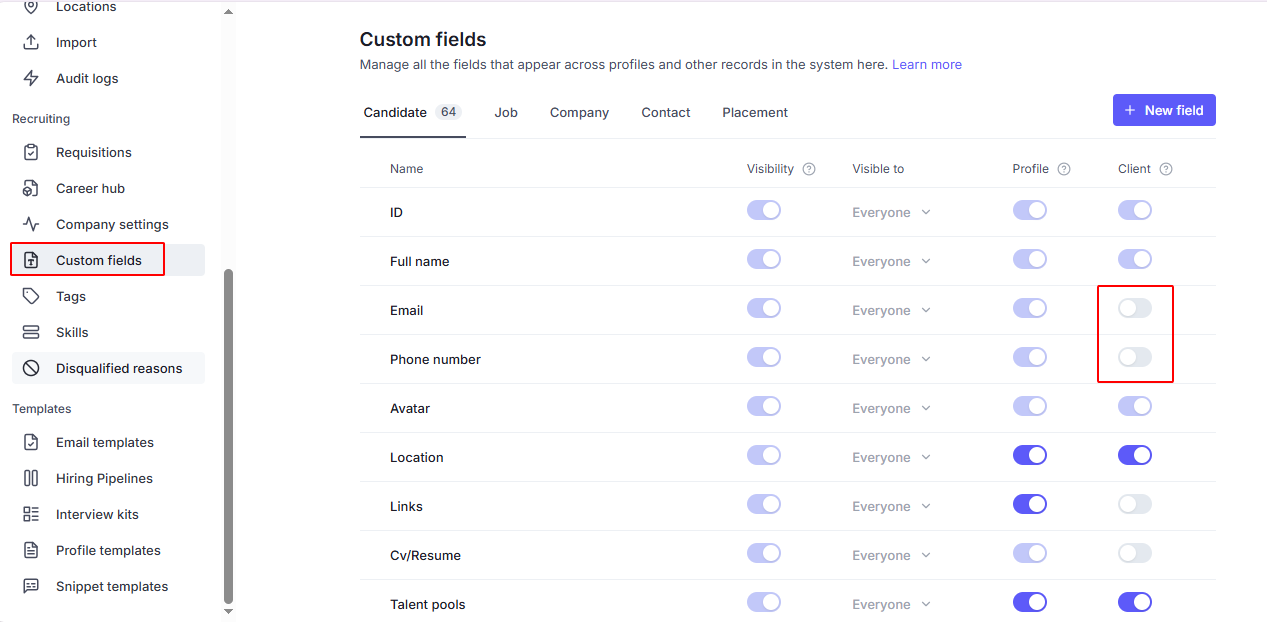
This feature allows you to manage which candidate details are visible to Client Contacts:
 Go to Settings → Custom Fields → Candidate
Choose specific fields and toggle visibility on/off for Client Contacts
Only the selected information will be displayed to clients
 Example: You can hide email and phone number while still sharing the candidate’s full name and avatar.
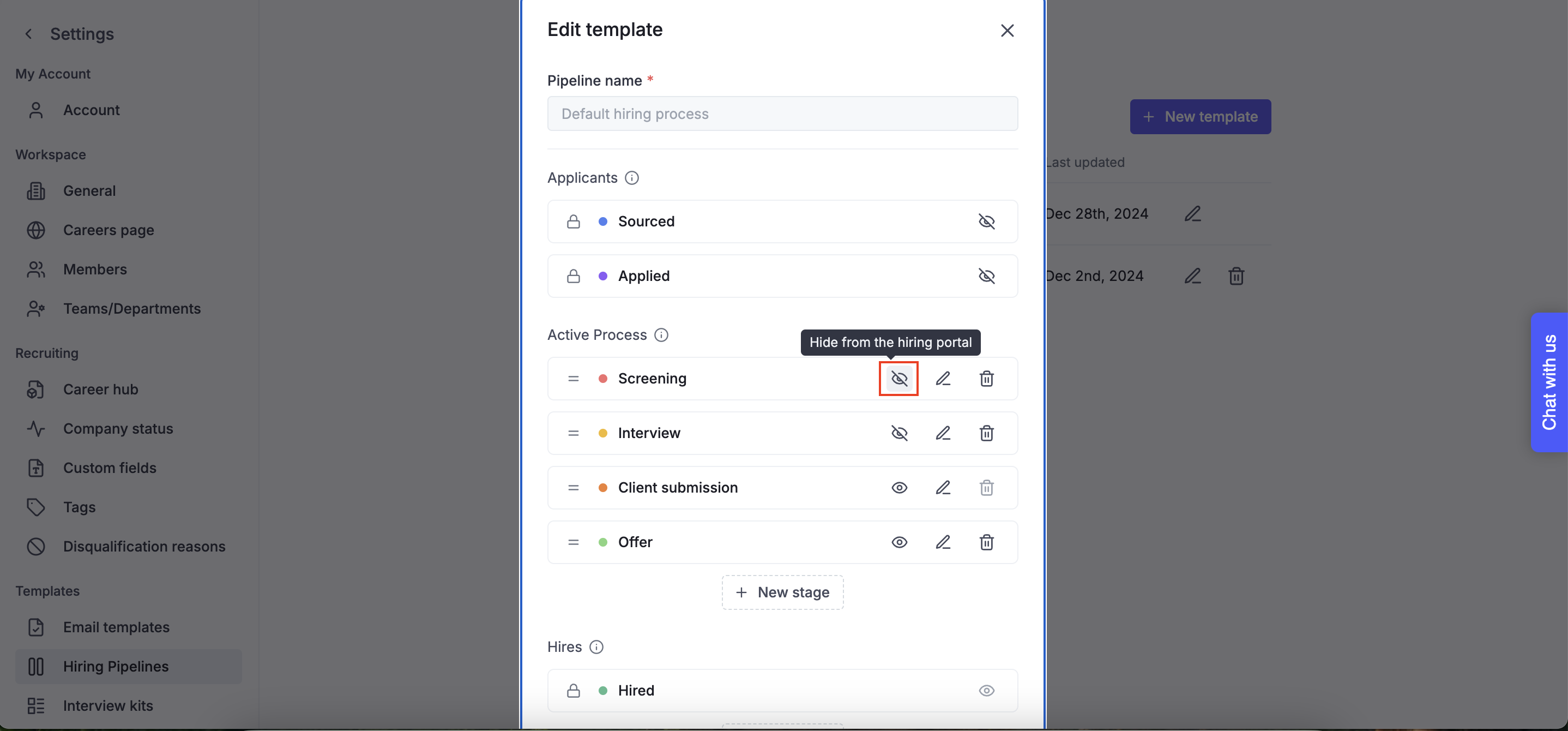
You can also control access to candidates based on hiring stages:
Navigate to Settings → Hiring Pipeline
Choose specific stages to hide/unhide from the Hiring Portal
Client Contacts won’t see candidates in the hidden stages
Example: If a candidate is in the “Screening” and “Interview” stage, you can restrict visibility so only internal recruiters can access them.
Open the Job → Details tab
Click Edit in the Hiring Process section
Review and adjust which stages to show or hide from the Hiring Portal
Hidden stages ensure only Hiring Team member - not Client Contacts - can access those candidates
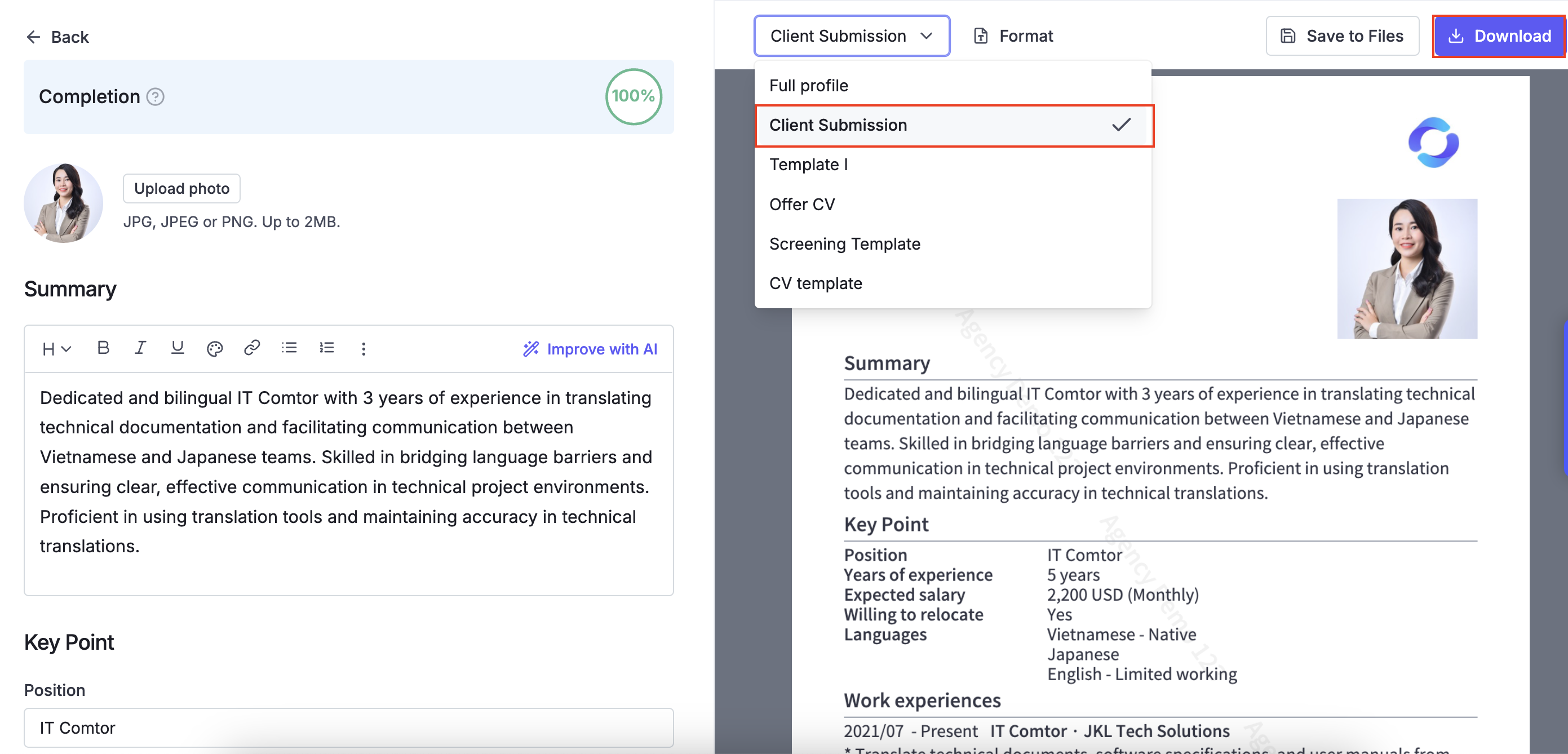
This feature allows you to create Profile Templates to customize what information is shared with external clients:
Go to Settings → Profile Template → Create to set up predefined templates with selected candidate details.
When sending a candidate, download the application using the appropriate template → Attach it to the email.
This ensures that only the necessary information is shared, keeping sensitive details protected.
Example: You can create a "Client Submission" that excludes sensitive details like contact information while keeping key qualifications visible.