Discover courses designed to support your career journey. The Learning gathers all available learning opportunities curated by your organization. Browse recommended courses, build new skills, and stay on track with your career goals.

Depending on the features currently available in your tenant, the access interface may differ. However, to enter the Learning, follow these steps:
Navigate to Career Hub
Click Career → Learning
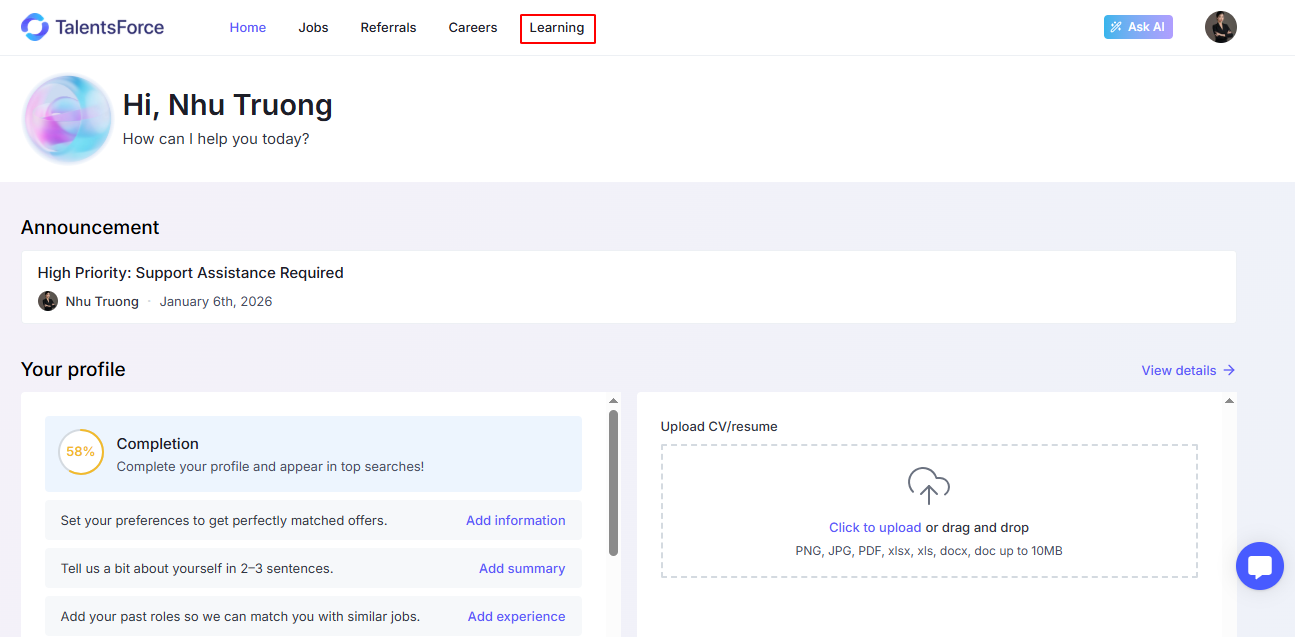
Quickly find the right course using filters such as Skills, Provider, Level, Type, and Language, or by searching course titles and descriptions.
Each course displays essential details at a glance:
Provider
Course Title
Duration & Delivery format (e.g., Online/Offline)
Level (Beginner, Intermediate, Expert, All Levels)
Tags for related skills
Click on a course in the Learning to open the pop-up summary with key course information (skills, price, language, description, etc.).
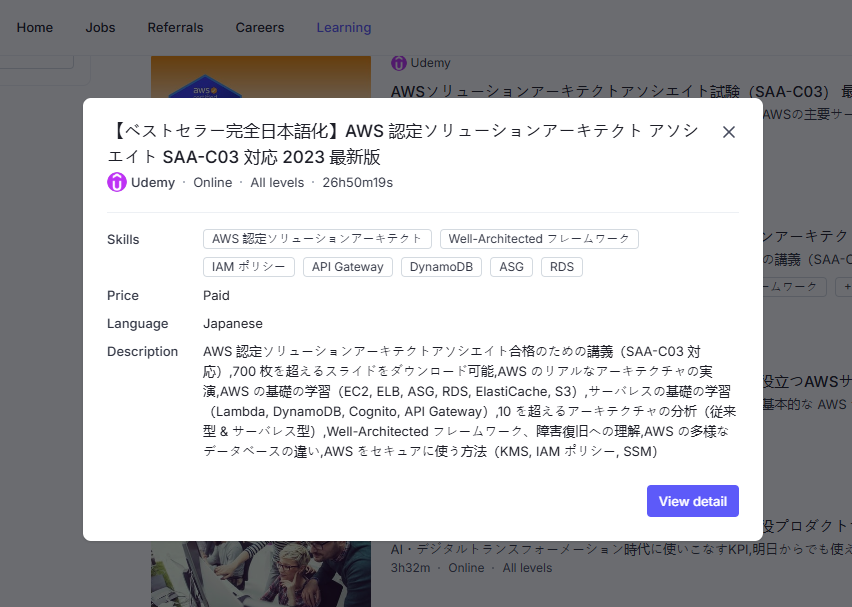
From the summary window, click View Detail to navigate to the provider’s official course page and access the full content.
Courses in the Learning also appear as Recommended Courses in other areas of the Career Hub, such as Careers and specific Job pages, ensuring you see learning options aligned with the items you are viewing.
