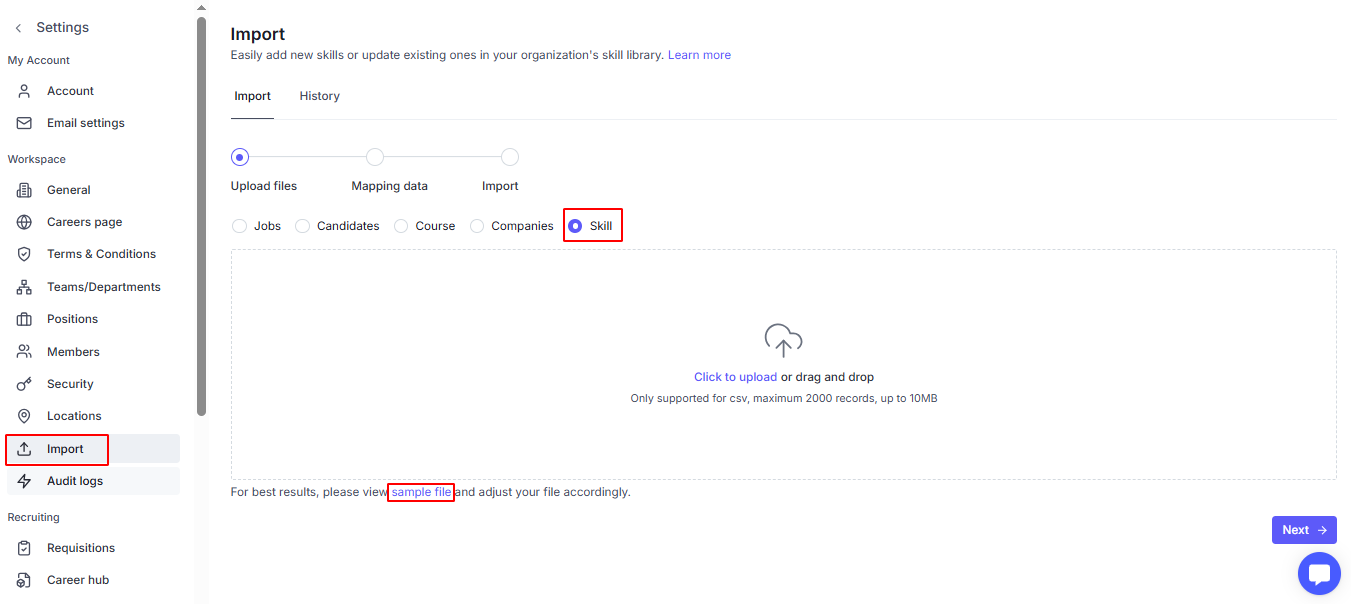
Navigate to the Settings page:
Click on Import
Tick on Skill object
Click on the Sample file it will open an Excel file. Please download this.
Based on the sample file, we’ve provided guidance for each column to help you enter the correct information. Please update your course list accordingly:
Ref ID - Unique code for internal tracking.
Skill name - The name of the skill. Maximum 30 characters.
Group - The skill group this skill belongs to. Enter “No group” if the skill does not belong to any group.
Equivalent skills - Alternative or equivalent skill names. Maximum 30 characters per value.
Description - A detailed description of the skill. Maximum 10,000 characters.
Status - The current status of the skill (Standard or Pending).
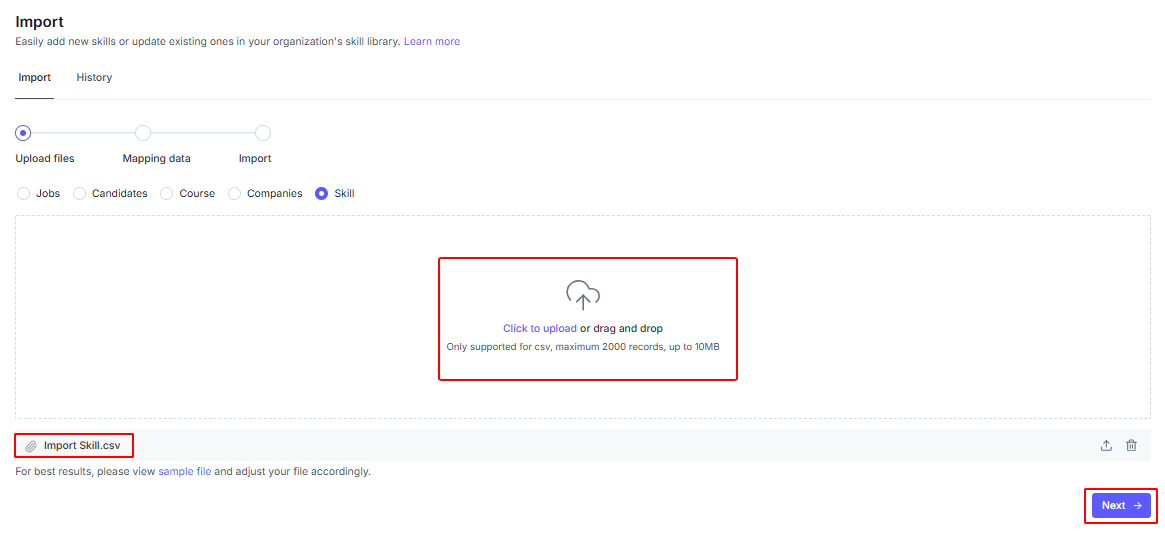
Save the file as CSV (UTF-8) format to ensure proper encoding and avoid character errors.

--> Click Next
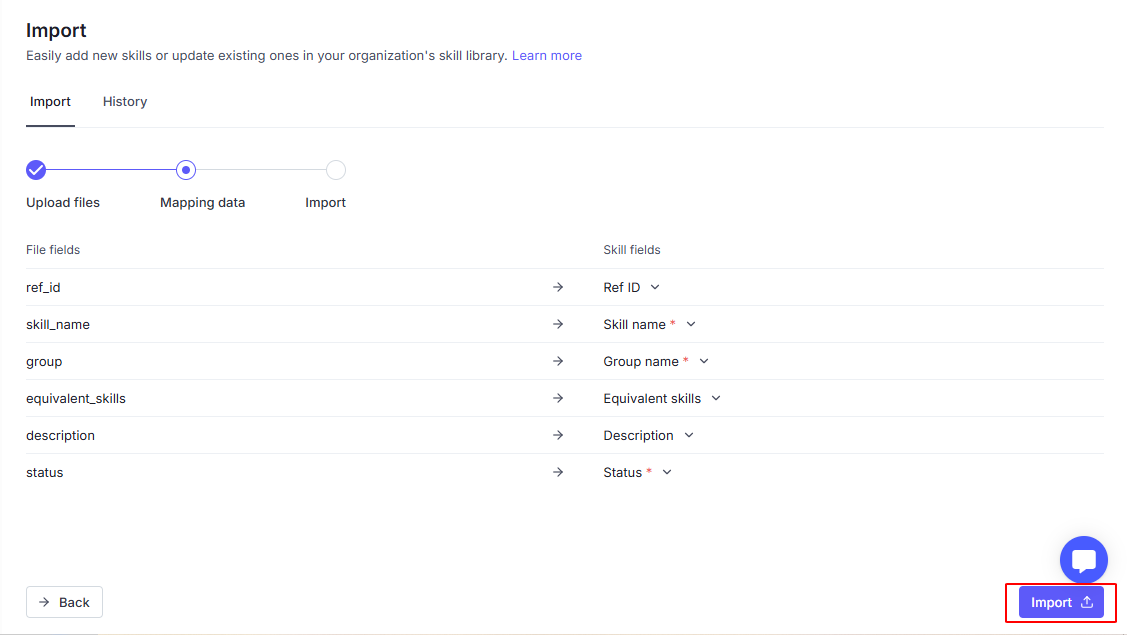
Please note that, you must map all required fields
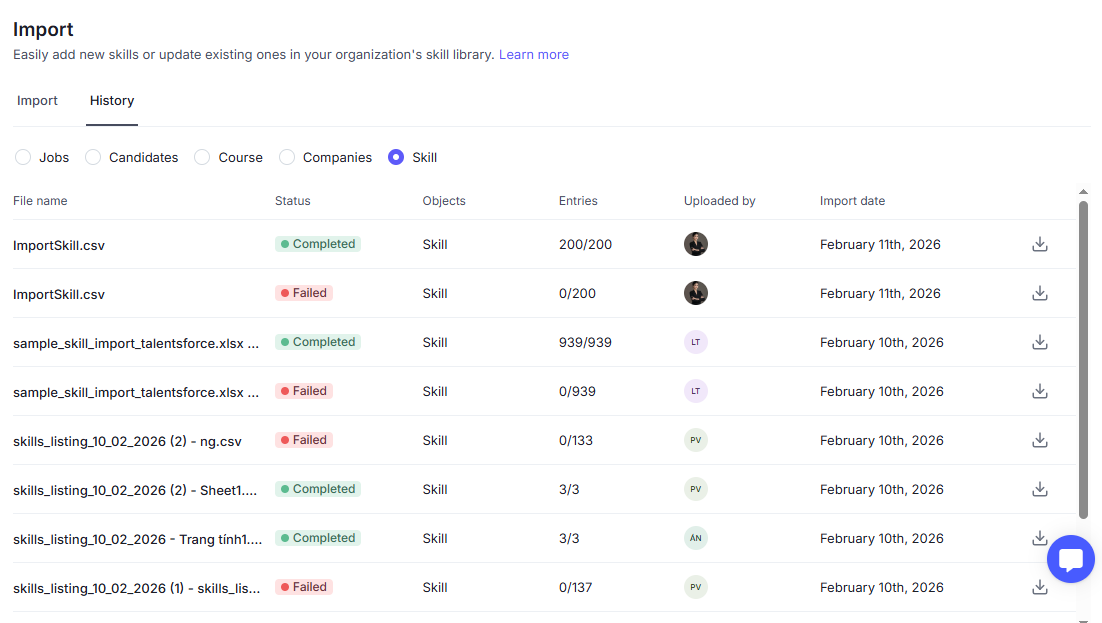
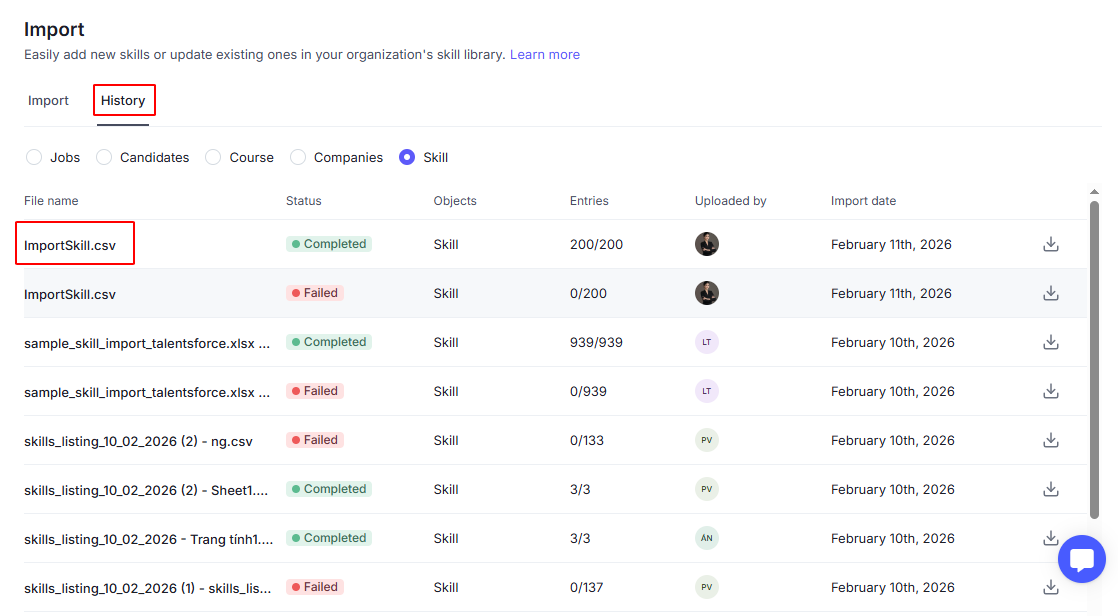
When the status changes to Completed, you can double-check in History tab.
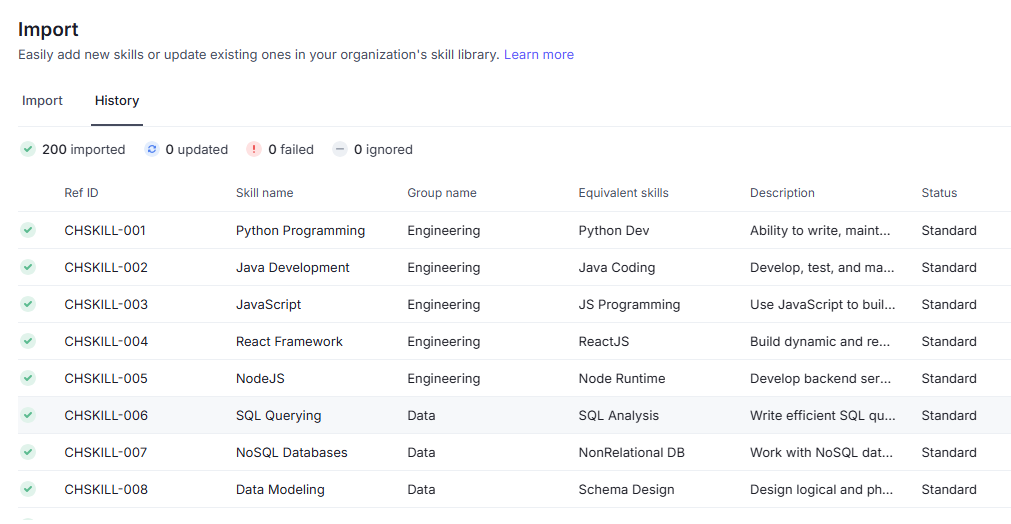
Click on a file to check in detail of each skill.
System will track all files uploaded to help you can review if any.