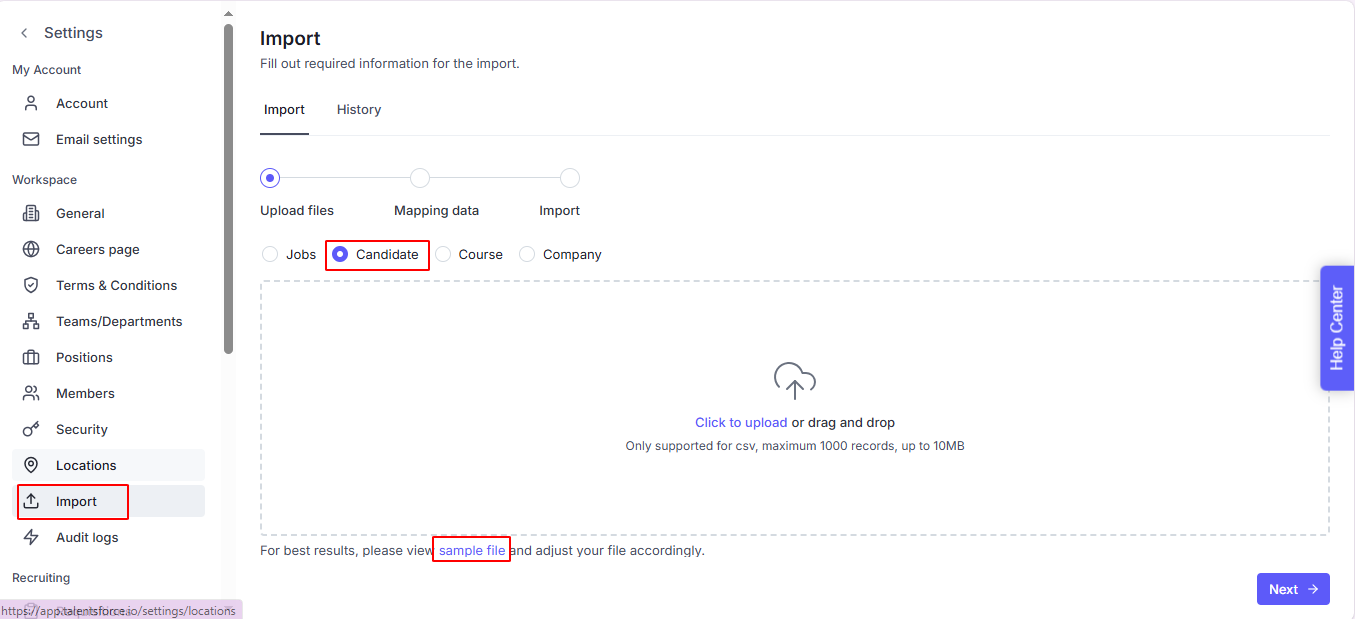
Navigate to the Settings page
Click on Import
Tick on Candidate object
Click on the Sample file, it will open an Excel file. Please download this.
Based on the sample file, we’ve provided guidance for each column to help you enter the correct information. Please update your candidate list accordingly:
Full Name – The candidate’s complete name, required (max 100 characters).
Email – The candidate’s email address, required and must follow a valid email format.
Phone Number – The candidate’s phone number, optional (max 15 characters).
Links – External profile or reference links (e.g., LinkedIn), optional, separated by commas.
Skills – List of candidate skills, optional, separated by commas.
Summary – A short professional summary or personal statement, optional (max 10,000 characters).
Position – The candidate’s current or most recent job title, optional (max 100 characters).
Nationality – The candidate’s nationality, optional (max 30 characters).
Birthday – The candidate’s date of birth, optional, must follow accepted date format (e.g., YYYY/MM/DD).
Languages – List of languages the candidate can use, optional, separated by commas (must match the Languages sheet).
Country – Candidate’s country of residence, optional.
State – Candidate’s state/province/region of residence, optional.
Talent Pools – Tags or categories for grouping candidates into specific pools, optional, separated by commas.
Experience Level – Candidate’s experience level, optional, using numeric codes (1: Internship, 2: Entry, 3: Associate, etc.).
Tags – Additional keywords or labels for the candidate profile, optional, separated by commas.
Updated At – The last update timestamp of the candidate profile, optional, must follow accepted datetime format.
Created At – The creation timestamp of the candidate profile, optional, must follow accepted datetime format.
Save the file as CSV (UTF-8) format to ensure proper encoding and avoid character errors.

--> Click Next
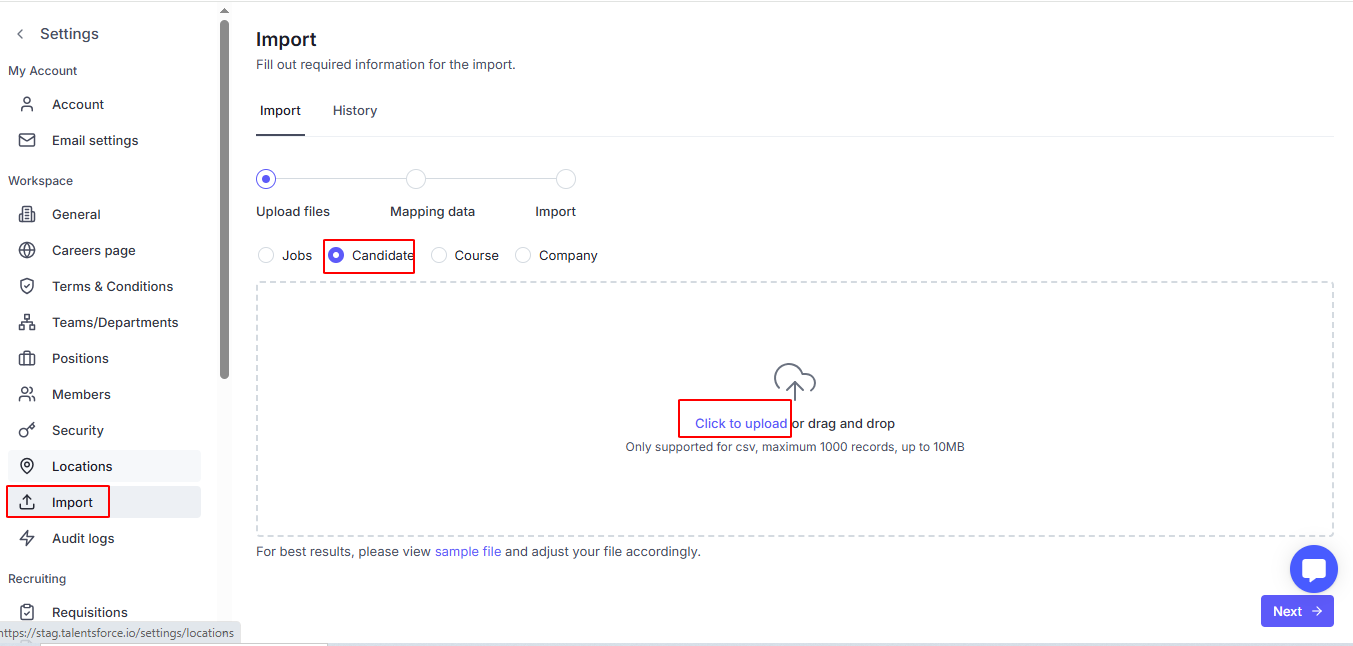
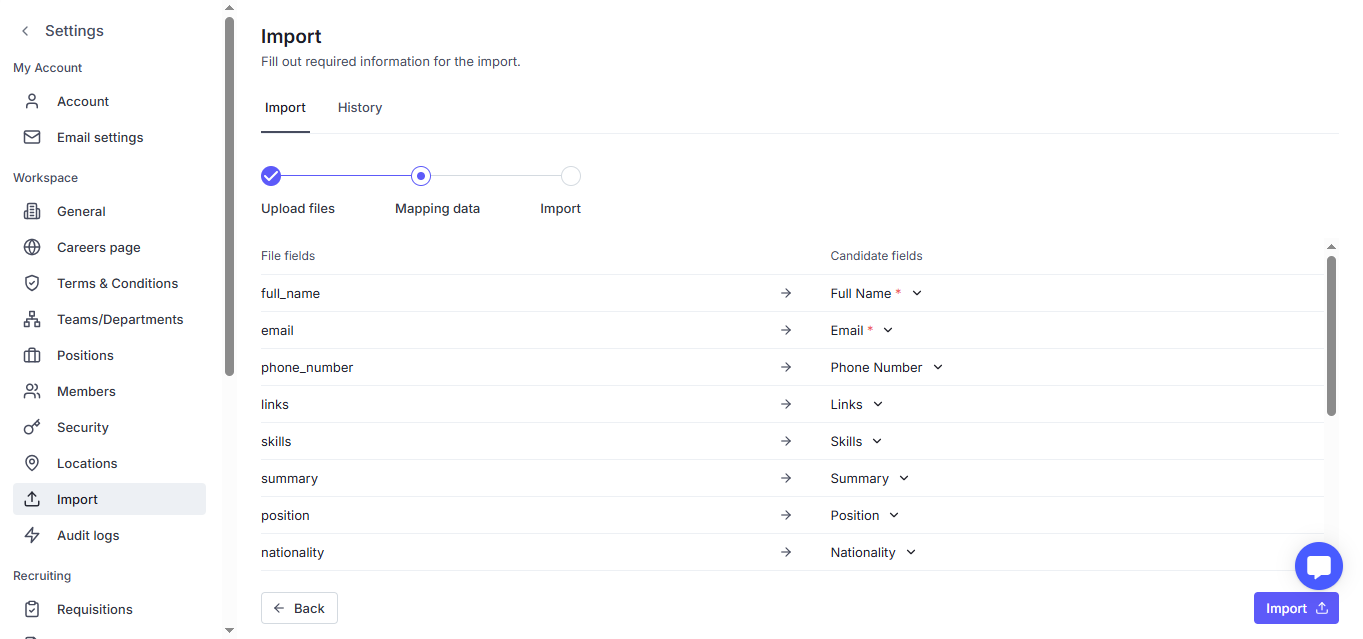
Please note that, you must map all required fields
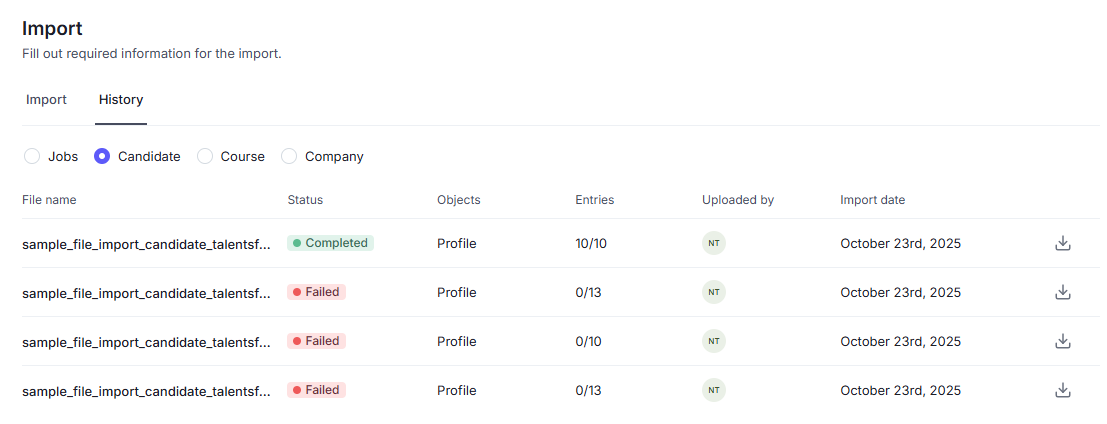
When the status changes to Completed, you can double-check in History tab.

Click on a file to check in detail of each company.
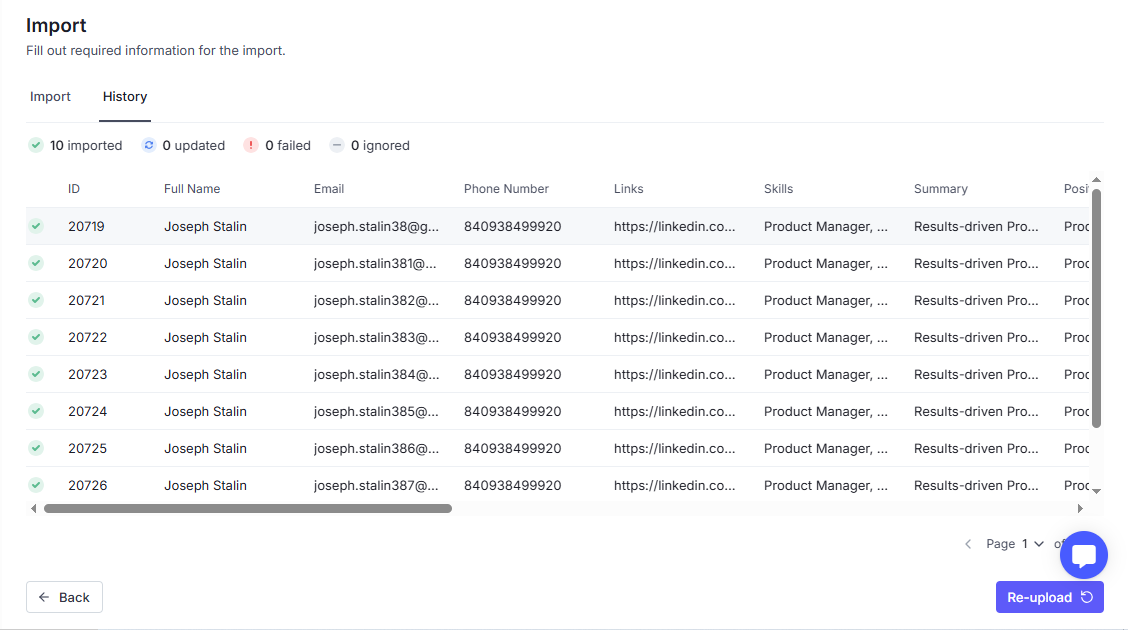
System will track all files uploaded to help you can review if any.