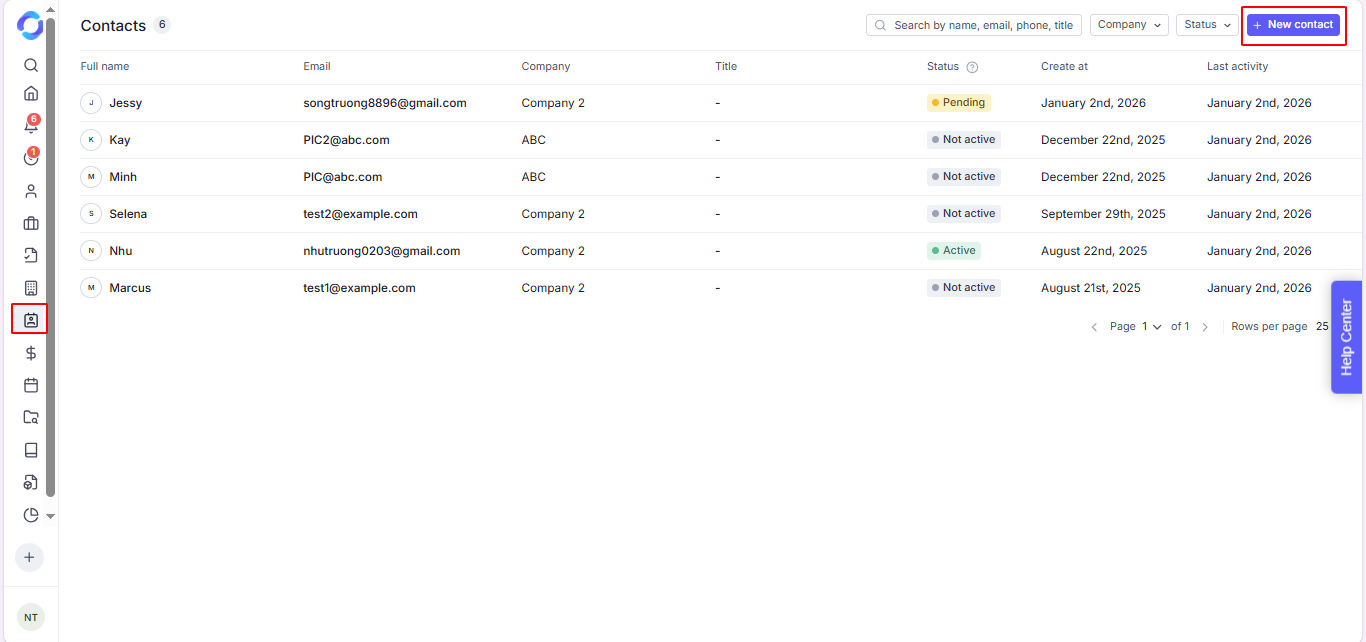
Go to the Contacts page at the left sidebar menu.
Click the + New contact button.
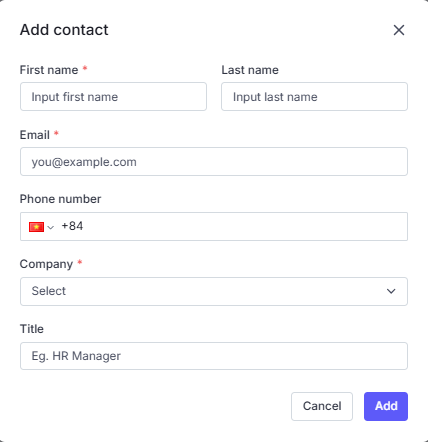
Update the Contact information.
Click the Add button to open the Contact detail page.
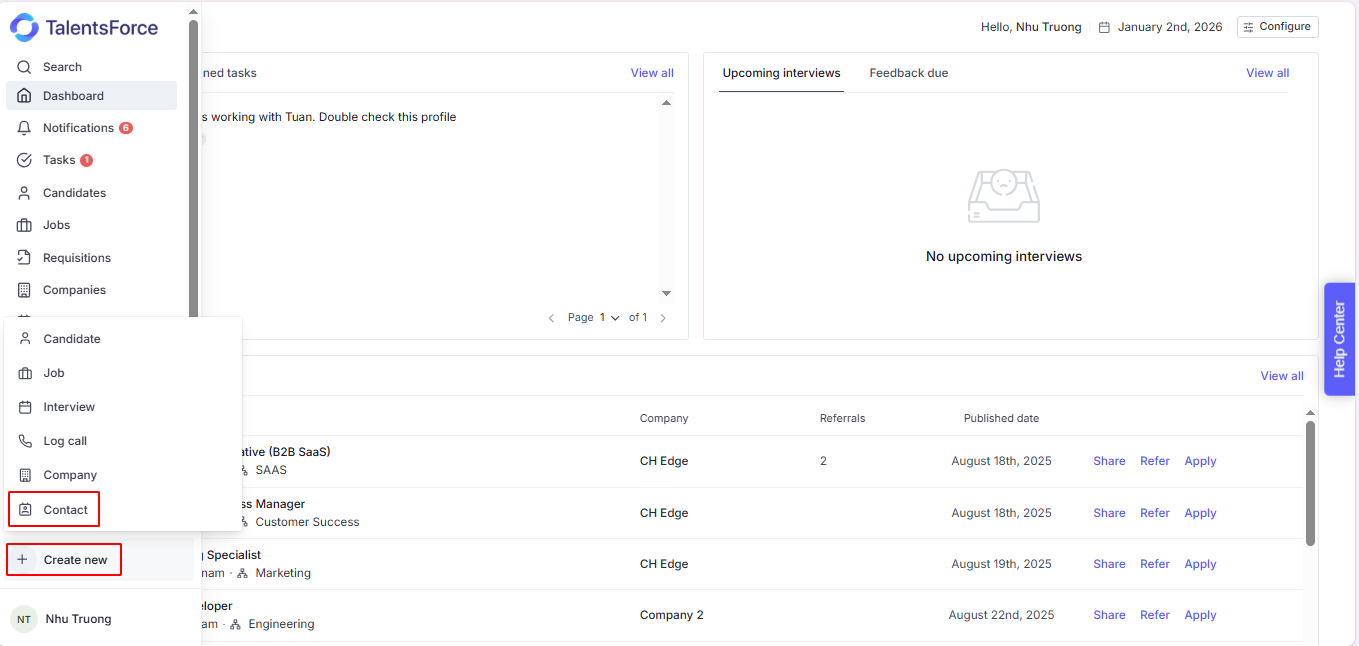
Click + Create New button on the sidebar menu.
Select Contact.
Update the Contact information.
Click the Add button to open the Contact detail page.
After creating a company, users typically create a contact for the person in charge to facilitate communication regarding contracts, job postings, candidates, and more.
Learn more in the following article.
Client Contacts are added to have access to the job and all of the applications for the specific job.
On the Job detail page, you can assign the contacts were created in the Company detail page or invite new contacts.
Learn more in the following article.
