When you access Career Hub, you will land on the homepage where key sections are organized to help you take action easily.

Quick Navigation
You can quickly access key sections from the main menu:
Jobs – Explore open positions
Referrals – Submit and track employee referrals
Careers – Explore career opportunities and growth paths
Learning – Access the learning library
Ask AI – Get instant assistance and guidance with the AI Career Advisor
Account – Manage your personal account settings
The content and sections you see on the homepage are based on:
Your profile information
Your career goals
Features enabled by your organization
This means your homepage experience may look different from other members, depending on your role and data.
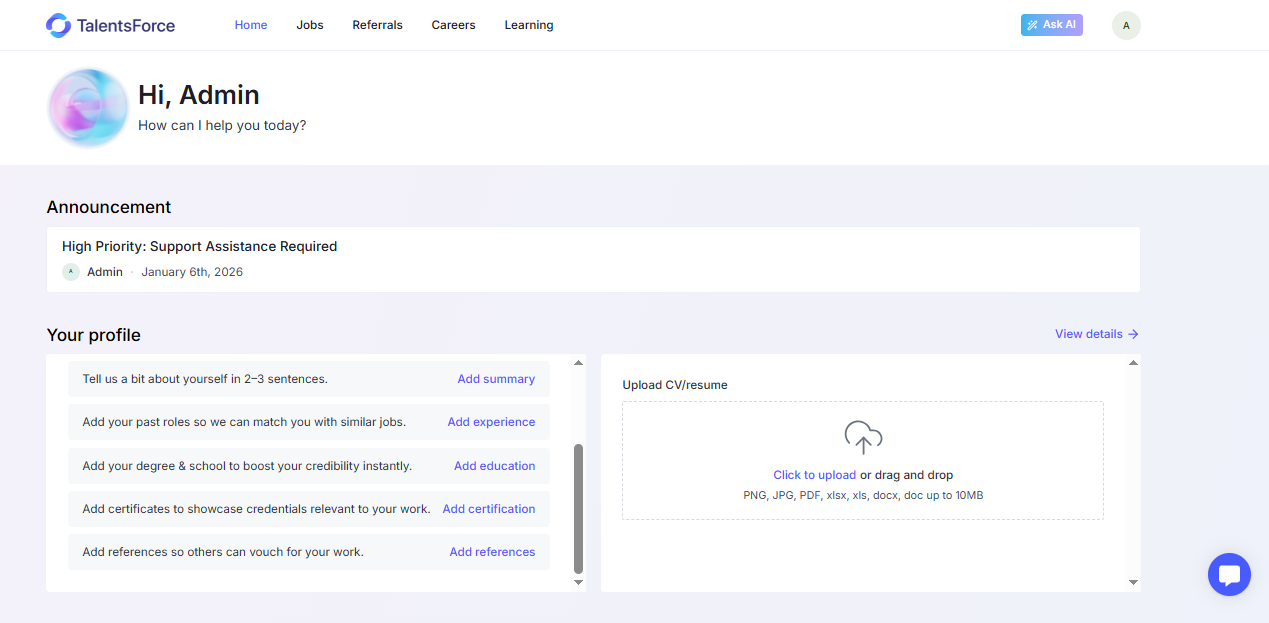
This section shows important updates from your company, such as: Internal programs, Career initiatives, Company news, Important notices

New announcements will always appear at the top so you don’t miss key information.
This section helps you build and complete your career profile.
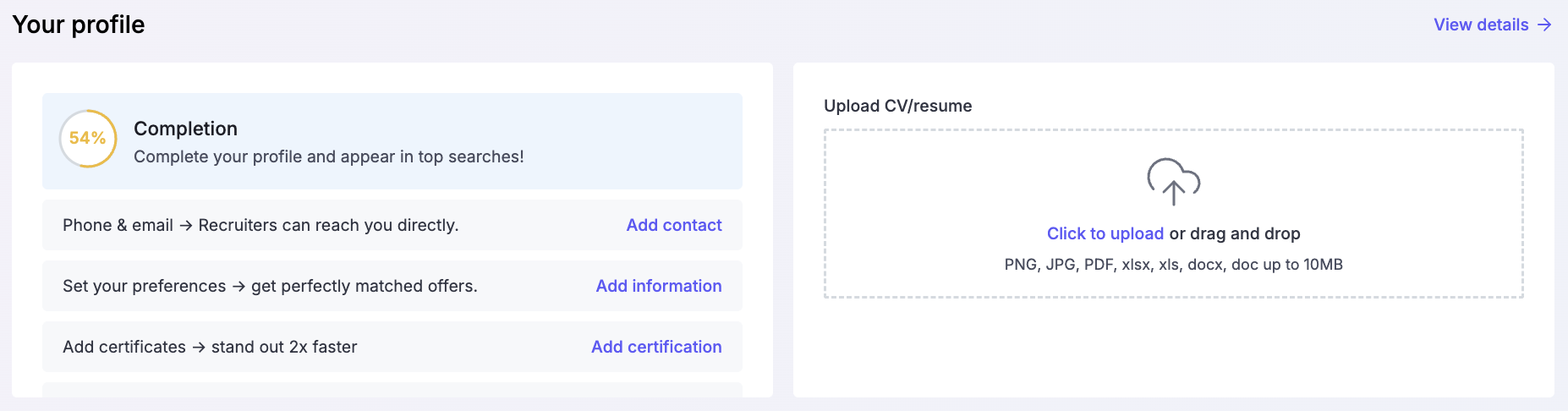
Completing your profile helps the system better understand your background and recommend relevant jobs and career paths.
Here you can explore open roles available within your organization.
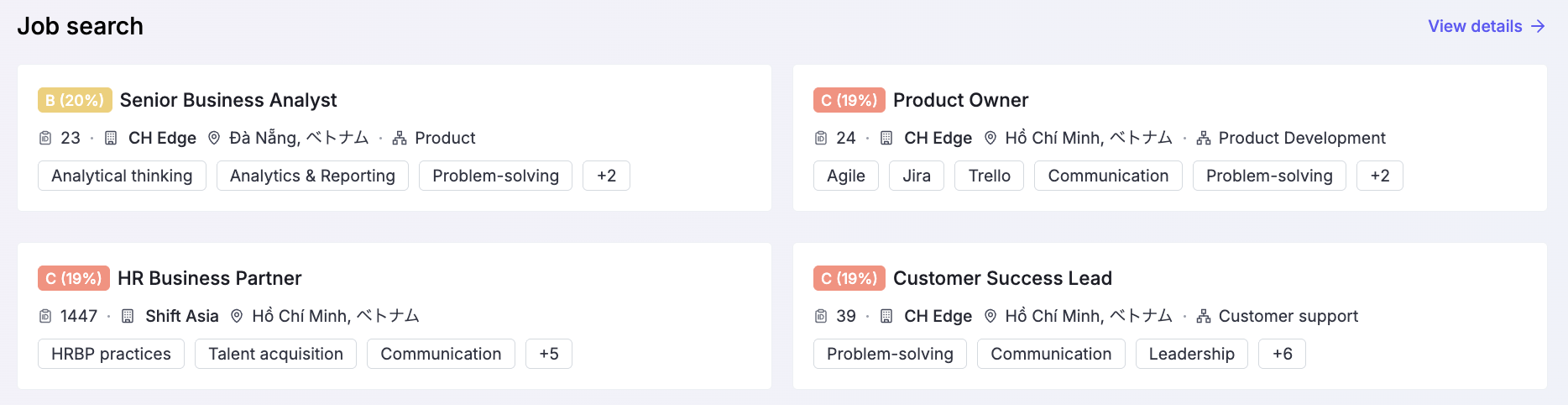
This section is designed to help you quickly discover roles that match your skills and interests.
This section focuses on your career growth and future goals.
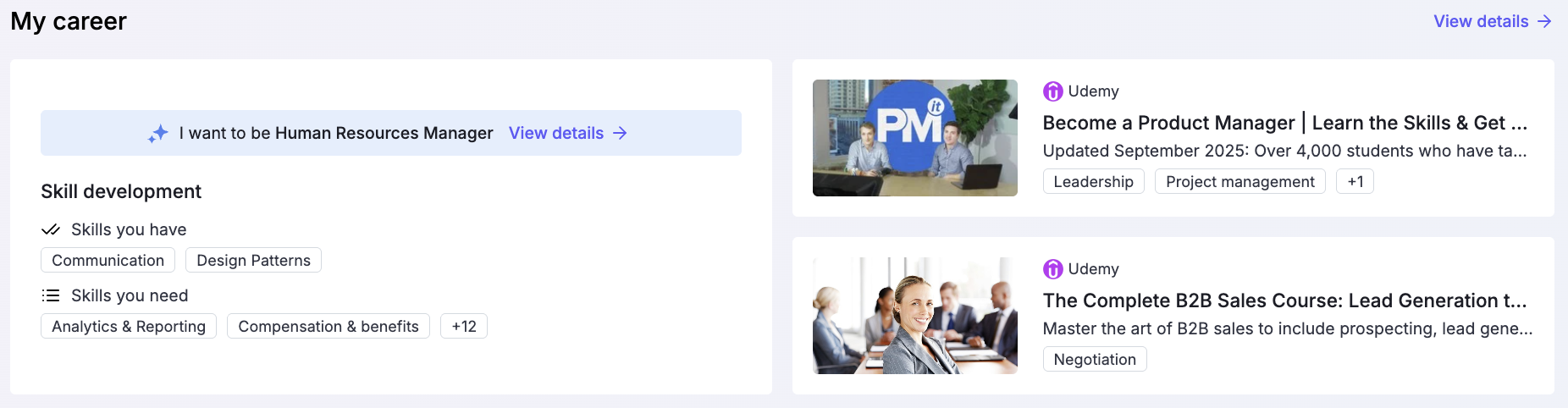
Based on your profile and goals, Career Hub helps you visualize how you can grow within the organization.
The AI Career Advisor provides personalized guidance to support your career decisions.
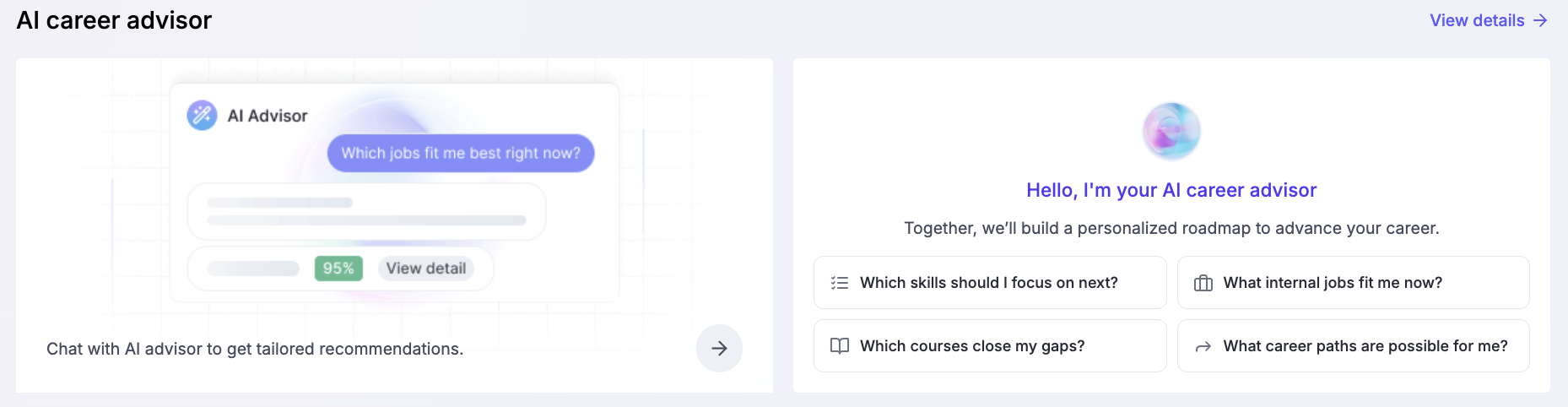
The AI uses your profile and career data to give tailored recommendations.
